All skills › Guides › Grok
How to add a skill to Grok
Grok supports skills on grok.com and in its iPhone and Android apps. Adding one takes about a minute.
Steps checked November 2026. Menus in AI apps change often, so names may differ slightly.
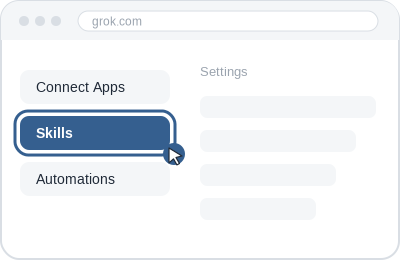
1. At grok.com, open Settings, then Skills.
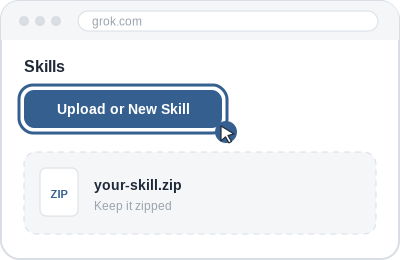
2. If you see Upload, pick the ZIP. If you only see New Skill, use the next step.
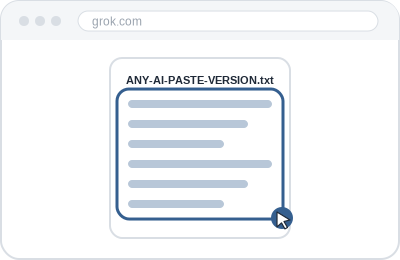
3. New Skill: name it, then paste the text of ANY-AI-PASTE-VERSION.txt (below the line of equals signs) into Instructions.
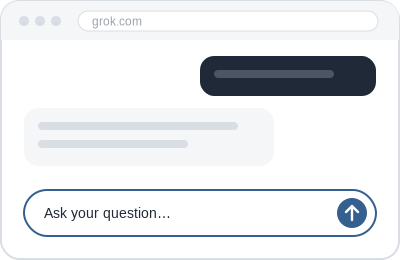
4. Save it, start a new chat and ask.
Illustrations of each click, not screenshots. Adding a skill is easiest from a computer; your download link keeps working.
- Open Grok
Go to grok.com or open the Grok app, and sign in. - Go to Skills
Open Settings, then Skills. - Upload, or paste into New Skill
If you see Upload, pick the skill's ZIP. If you only see New Skill, unzip the download, open ANY-AI-PASTE-VERSION.txt, give the skill a name and paste everything below the line of equals signs into Instructions. Then save. - Ask
Start a new chat and ask a question the skill is built for.
Grok picks the skill when your question matches it. If it doesn't, start a new chat and say which skill to use.
If something goes wrong
I can't find Skills.
It may not be available on your plan or in your region yet. Try grok.com on the web, where new features usually appear first.
Should I unzip the file?
Not for Claude: it takes the ZIP as it is. Unzip it for Gemini (it takes the folder), for Grok if it shows a New Skill form instead of Upload, for ChatGPT on a personal plan, and for coding agents such as Claude Code.
Can I use the same skill in more than one app?
Yes. A skill is a standard folder with a SKILL.md file inside, so the same download works in Claude, Gemini (as the unzipped folder) and Grok, and in ChatGPT through the paste-in file or, on some business plans, the ZIP. Personal ChatGPT plans use the included paste-in file. Add it to each app separately.
Skills to try in Grok
Every store has a free starter skill, so you can try the steps above right away. Browse the skill stores.